Category: Guides

  • How Price Trackers Work: CamelCamelCamel, Keepa, and Price History

    Every experienced deal hunter has the same habit: before believing a sale price, they look at what the product cost last month. Price trackers make that possible. These free tools quietly record the prices of millions of products over time and draw the charts that expose fake discounts in seconds. This guide explains how they work, how to read them, and where their blind spots are — the same tools we use when verifying deals for MegaDeal Finds USA.

    How the tracking works

    Trackers do not get their data from shoppers. Automated systems poll retailer listings around the clock and record each product’s price whenever it changes, building a history that can stretch back years. CamelCamelCamel is the best-known Amazon tracker: paste a product link and you get a chart of its price over time, with the lowest, average, and highest prices marked, plus free alerts when a product crosses a price you set. Keepa does the same job with even more data — its charts can show the price of Amazon itself versus third-party sellers, whether a deal was a Lightning Deal, and how a product’s sales rank moves. Both are free at the level most shoppers need.

    Reading a chart like a deal hunter

    Three reference points matter. The average price tells you what the product really costs in normal times — a sale meaningfully below the average is a genuine saving. The lowest recorded price tells you the floor the product has reached before, which is the target worth waiting for if you are patient. And the shape of the line tells the story: a flat line that dips today is a real event, while a line that has bounced between two prices every week all year means today’s “sale” is just the regular rotation. Judge the current price against the last ninety days, not against the highest spike on the chart — that spike is often a pricing error or a third-party gouger during a stock shortage.

    The blind spots to know about

    Trackers are powerful but not complete. They usually follow one listing variant — the price of the black, medium version — while other colors and sizes move independently. Coupon discounts and promo codes do not appear in the recorded price, so a product can be cheaper than its chart suggests, or a “low” chart price may require a code to reproduce. Prices from third-party marketplace sellers are tracked separately from the retailer’s own price on some tools, and mixing the two lines up leads to bad conclusions. Finally, trackers cover the big marketplaces well and smaller retailers barely at all; for those, the same-day cross-retailer comparison remains your best tool.

    Putting it to work

    The practical routine takes a minute: find the product, open its chart, compare today against the ninety-day average and the all-time low, then decide — buy, wait for the floor, or set an alert and forget it. It is exactly the sanity check we run before deals reach our latest deals page. Learn to read one chart and you will never look at a strikethrough price the same way again.
  • Smart Home Starter Guide: Cameras, Doorbells, and Plugs

    Smart Home Starter Guide: Cameras, Doorbells, and Plugs

    The best first smart home device is the one that solves a problem you already have. The worst is a box of gadgets bought in one enthusiastic weekend that ends up in a drawer by spring. If you are starting out, three categories deliver most of the real-world value — cameras, video doorbells, and smart plugs — and each has a couple of decisions that matter far more than brand loyalty. Here is how to approach them in order.

    Start with one problem, not an ecosystem

    Want to know the package arrived? That is a doorbell. Want to check the dog or the side gate? That is a camera. Tired of the lamp timer guessing wrong? That is a plug. Buy for one job, live with it for a month, and let the experience teach you what you want next. Along the way you will also learn your home’s Wi-Fi reality: nearly all budget smart devices run on the 2.4 GHz band, so a router that reaches the front door and the backyard matters more than any single device’s spec sheet. Test your phone’s signal where the device will live before you buy.

    Cameras: resolution is not the headline

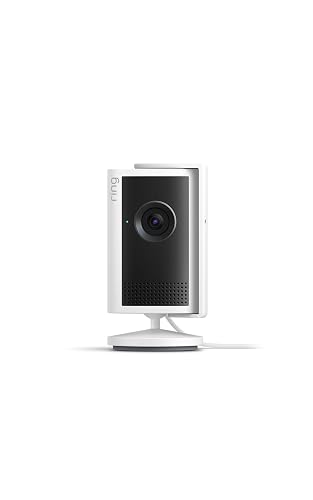
    Camera marketing leads with resolution — 2K, 4K, retinal this and ultra that — but the features that change daily life are detection and storage. Person detection that ignores swaying trees and passing headlights is the difference between useful alerts and notification fatigue you disable within a week. Storage is the ongoing cost: cloud subscriptions typically run a few dollars per camera per month, while local storage on a microSD card or home hub avoids the fee but keeps footage where a thief could take it. Decide which you prefer before choosing a brand, because the subscription, not the camera, is the long-term purchase. Indoor cameras deserve one extra thought: a physical privacy shutter or an easy off mode is worth having in bedrooms and living rooms.

    Doorbells and plugs: the easy wins

    Video doorbells split into wired models, which use your existing doorbell power and never need charging, and battery models, which install in minutes but need a recharge every few months and can lag slightly on alerts. If you have working doorbell wiring, wired is the set-and-forget choice. Smart plugs are the cheapest smart home win of all: they turn any lamp or fan into a scheduled, voice-controlled device, and a four-pack on sale often costs less than one smart bulb. Look for plugs with energy monitoring if you want to hunt down the appliance quietly inflating your power bill.

    Expand slowly, prefer devices that work with the assistant already in your home, and treat subscriptions as part of the price. Smart home gear is discounted heavily during every major sale event, and verified drops on cameras, doorbells, and starter kits show up in our electronics deals throughout the season.

  • Wireless Headphones Buying Guide: ANC, Battery Life, and Fit

    Wireless Headphones Buying Guide: ANC, Battery Life, and Fit

    Wireless headphones are the most crowded shelf in consumer electronics: earbuds from $15 to $350, over-ears from $30 to $550, all promising silence, bass, and forty hours of everything. The differences that actually change your daily experience are narrower than the marketing suggests. Three things matter most — how they fit, how their noise cancelling performs in your real environments, and how their battery behavior fits your routine.

    Fit first: earbuds versus over-ears

    No specification survives a bad fit. Earbuds seal inside the ear canal, and that seal is doing half the work of both bass and noise cancelling; if the included tips do not seal for you, expensive buds will sound thin and let the world in. Try every tip size in the box. Over-ear headphones trade portability for comfort over long sessions and generally stronger noise cancelling, but they vary hugely in clamp force and ear cup depth — glasses wearers feel this within an hour. On-ear models sit between the two and satisfy fewer people; buy them only after trying. If a retailer’s return policy allows a home trial, use it: headphones are the most returned category in audio for a reason.

    ANC: what the numbers cannot tell you

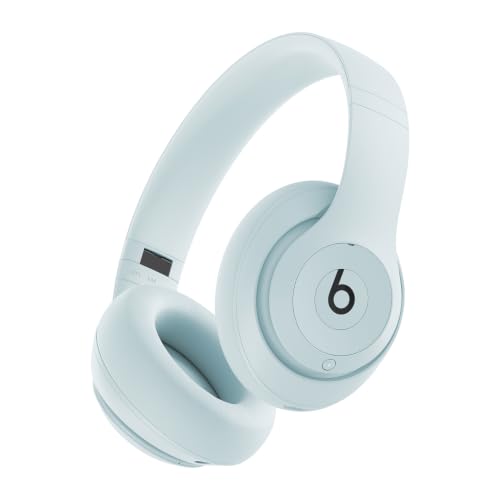
    Active noise cancelling works best on steady, low sounds — airplane engines, bus rumble, air conditioning — where top models can make a cabin feel dramatically quieter. It does much less against voices, keyboard clatter, and sudden noises, which is why no headphone makes an office silent. Brands rarely publish comparable measurements, so treat ANC as a tier rather than a spec: flagship models from the major audio brands are genuinely a class above budget ANC, which still beats none at all on a flight. Transparency mode quality matters too if you walk city streets or need to hear announcements — the best implementations sound natural rather than like a phone call with the outdoors.

    Battery life: read it correctly

    Earbud battery claims combine the buds and the case. Six hours in the buds plus three case recharges is advertised as thirty hours — fine for a week of commutes, but the per-session number is the one that matters on a long flight. Over-ears typically run 30 to 60 hours with ANC on, which in practice means charging every week or two. Two underrated details: a ten-minute quick charge that returns several hours of play rescues forgotten charging more often than raw capacity does, and multipoint Bluetooth — staying connected to your phone and laptop at once — is the feature owners consistently say they would never give back.

    What to pay

    Strong earbuds exist at $40 to $80 on sale; the flagship tier at $170 to $250 buys better ANC, wireless charging, and fit polish rather than a different universe of sound. Over-ears follow the same pattern, with excellent models frequently discounted to $180 to $280 from higher list prices. Audio gear discounts deeply and often, so patience pays. When we verify a price worth acting on, it appears in our electronics deals.

  • Promo Codes Explained: How They Work and How We Test Them

    Promo codes feel like magic money — type a word at checkout, watch the total fall. Behind that little text box is a deliberate marketing machine, and understanding how it works makes you better at finding codes that are real, using them before they die, and spotting the ones that were never genuine offers at all. This is also the page where we explain exactly how MegaDeal Finds USA tests every code before posting it.

    Where promo codes actually come from

    Most codes are created by sellers and brands themselves, inside their advertising dashboards. A marketplace seller can generate a code for a percentage off, a dollar amount off, or a buy-one-get-one offer, and set its budget, start date, and end date. Why give money away? Because a burst of sales improves a product’s ranking in search results, and ranking is worth more than the discount costs. Codes are also distributed to deal sites and communities on purpose — sellers want the spike. The other major type is the clip coupon: the checkbox or coupon flag on a product page that applies the discount automatically at checkout, no typing required.

    Why codes die so fast

    Codes carry budgets. When a seller funds a code for, say, five hundred redemptions, a popular post can burn through that in an hour — after which the code simply stops working, with no announcement. Codes also expire at set times, apply only to certain sizes, colors, or sellers of the same product, and sometimes work only for first-time buyers or specific regions. This is why the internet is littered with code lists where half the entries fail: the lists were accurate when compiled, and nobody re-checked. A code’s value is inseparable from when it was last verified.

    How we test codes before posting

    Our rule is strict: a code is only posted when two independent sources report it working that same day, and at least one of them shows a recent verification — a check date, a same-day success report, or live confirmation on the retailer’s page. We post the final price after the code, not the shelf price, and we say clearly when a deal needs a clip coupon instead of a typed code. We never buy codes, never post codes tied to review schemes (discounts in exchange for five-star reviews violate retailer policies and mislead buyers), and we would rather skip a code entirely than send our community to a checkout that rejects it. One dead code costs more trust than ten good deals earn.

    Getting the most from codes yourself

    Enter codes exactly as written — they are usually case-insensitive, but spaces at the ends break them. If a code fails, check the obvious: does it exclude the brand in your cart, require a minimum spend, or apply only in the app? Stacking rules vary; most stores allow one code per order, so use the best one and save the other for next time. And when a deal post of ours includes a code, move reasonably fast — not because of hype, but because budgets are real. You will find our current verified finds on the latest deals page, each labeled with its code or clip instruction.

  • Budget Running Shoes: How to Choose Without Overpaying

    Running is the cheapest sport to start and one of the easiest to overspend on, because shoe marketing insists that this season’s foam, plate, or geometry will change your life. For beginners and everyday runners, the truth is friendlier: a well-fitting pair from a reputable brand, bought at the right moment in its product cycle, delivers 95% of the experience for half the launch price. Here is how to find that pair.

    Fit beats technology, every time

    A shoe that fits your foot will outperform a technically superior shoe that does not. Aim for roughly a thumb’s width between your longest toe and the end of the shoe — feet swell on runs, and toes that touch the front will let you know by mile three. The heel should feel locked without slipping, and the midfoot snug without numbness. If you can, try shoes late in the day when your feet are at their largest, and run a few steps in them, not just a walk. Width matters too: many runners who think they need a bigger size actually need a wide fitting in their normal size.

    The last-year’s-model trick

    Running shoes refresh on an annual cycle, and the changes between generations are usually modest — a tweaked upper, a slightly different foam blend. When the new version launches at $140, the outgoing version, which was a perfectly good shoe at $140 last spring, drops to $70 or $80 and eventually lower on clearance. This is the single most reliable way to buy quality running shoes cheaply, and it works at every brand. The one caution: buy from a retailer with a real return policy, because a generation change sometimes alters the fit even when the name stays the same.

    Foam, drop, and other words translated

    Midsole foam is the cushioning under your foot. Standard foams feel fine for easy miles; softer, bouncier “super foams” return more energy but wear faster and cost more — a fair trade for race day, an unnecessary one for a beginner’s daily miles. Drop is the height difference between heel and toe, usually 4 to 12 millimeters; higher drops suit heel strikers and tight calves, lower drops load the calves and Achilles more. There is no universally correct number — if your current shoes feel fine, stay near their drop. Carbon plates are for racing; in a training shoe they add cost and stiffness you did not ask for.

    When to replace, and what to pay

    Most running shoes last 300 to 500 miles. Warning signs: new aches in knees or shins, foam that feels flat or packed down, and tread worn smooth. Rotating two pairs extends both pairs’ life and lets foam recover between runs — one more reason to buy two discounted pairs instead of one at full price. For budget guidance: previous-generation daily trainers from major brands are excellent buys between $55 and $85; current models on sale at $90 to $110 are fair; and anything marketed as a budget shoe that still costs $130 is not a budget shoe. Verified shoe deals appear in our sports and outdoors deals whenever the price checks pass.

  • Electric Toothbrush Buying Guide: What Actually Matters

    Electric Toothbrush Buying Guide: What Actually Matters

    Dentists agree that a good electric toothbrush cleans better than most people’s manual technique — but the toothbrush aisle is engineered to upsell you. Brushes run from $25 to $300, and the expensive ones are not five times better at cleaning teeth. Here is what genuinely matters, what is marketing, and how to think about the real cost of owning one.

    Sonic versus oscillating: pick your feel

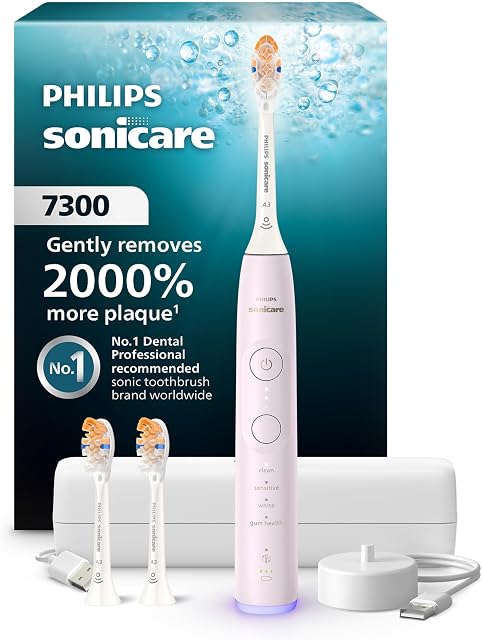
    The two big technologies are sonic brushes, which vibrate a standard-shaped head at high speed (Philips Sonicare is the best-known), and oscillating-rotating brushes, whose small round heads spin and pulse (the Oral-B approach). Clinical studies find both outperform manual brushing; oscillating heads have a slight edge in some plaque studies, while many people find sonic brushes gentler and quieter. The honest answer is that the best brush is the one you will use for two minutes, twice a day. If you tried one style and hated it, switch styles rather than giving up on electric.

    The three features that earn their money

    First, a two-minute timer with 30-second pulses — pacing is the single biggest improvement most people get from going electric. Second, a pressure sensor. Brushing too hard damages gums and enamel, and a brush that warns you (or slows down) when you press too hard fixes a habit you cannot feel yourself. Third, battery life measured in weeks, not days, so the brush lives on the counter instead of in a charger hunt. Bluetooth apps, cleaning scores, color screens, and travel-case UV sanitizers are all nice stories that do not clean teeth any better.

    The real cost is the replacement heads

    Heads need replacing about every three months, and this is where cheap brushes get expensive and expensive brushes get absurd. Before buying, price the genuine replacement heads and multiply by four per year — on some premium lines, a year of heads costs more than a solid mid-range brush. Third-party compatible heads cut that cost sharply, though fit and bristle quality vary. A $70 brush with $8 heads is a better three-year deal than a $40 brush with $15 heads. Also check what is in the box: a bundle with three heads included is effectively a year of refills, which can make a higher sticker price the cheaper buy.

    What to pay

    Excellent brushes exist at $40 to $80 on sale, with timers, pressure sensors, and multi-week batteries. Above $120 you are mostly buying design, apps, and charging glass. This category discounts heavily during major sale events, so list prices are a poor guide. When we verify a strong price on a well-reviewed model, it lands in our health deals. Buy the mid-range, keep up with the heads, and let the timer do its work.

  • Air Fryer Buying Guide: Sizes, Features, and What You Should Pay

    Air Fryer Buying Guide: Sizes, Features, and What You Should Pay

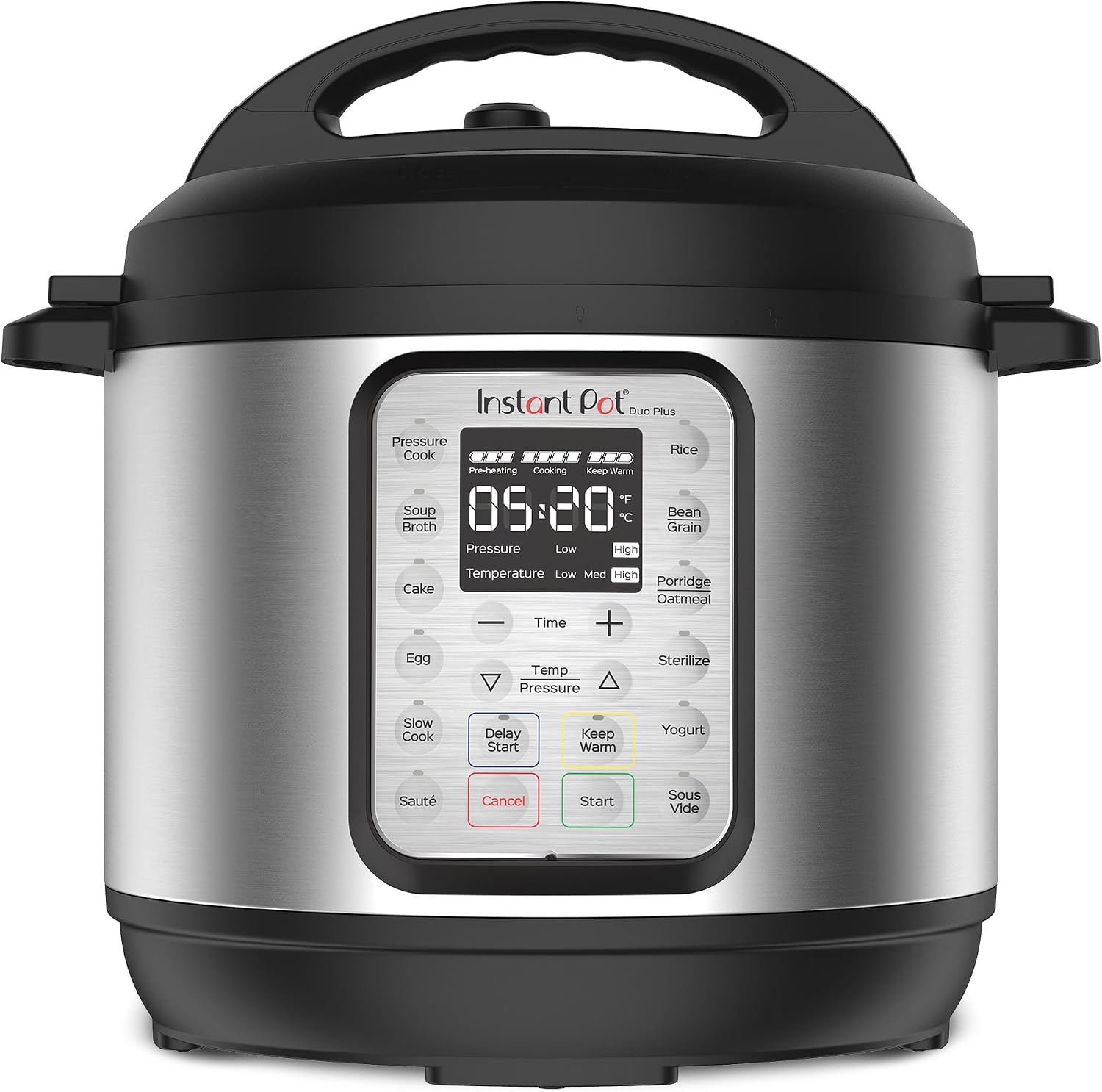
    The air fryer has gone from novelty to countertop essential in under a decade, and the market now runs from $35 mini models to $300 multi-function ovens. The good news: the cooking technology itself is simple — a fan, a heating element, and hot air moving fast — so a well-chosen mid-priced model cooks as well as most premium ones. What actually separates a good buy from a regret is size, design, and paying the right price for the category.

    Size: the decision that matters most

    Capacity is measured in quarts, and it is the first filter to apply. A 2 to 3-quart fryer suits one person or a couple making sides. A 4 to 6-quart model is the sweet spot for most households — it handles a whole chicken, a batch of wings, or fries for four without stacking food, and stacking is the enemy of crispiness. Above 6 quarts, look at dual-basket models, which let you cook two foods at different temperatures at once, or oven-style fryers with racks, which trade a bigger countertop footprint for the ability to cook full meals. Measure your counter and cabinet clearance before ordering; big fryers surprise people.

    Features worth paying for (and ones that are not)

    A few features genuinely earn their keep. A dishwasher-safe, nonstick basket gets used daily instead of avoided. A wide temperature range — roughly 90°F to 450°F — covers dehydrating and proofing as well as frying. Shake or turn reminders help even cooking, and a clear window with a light, found on some models, ends the open-and-check cycle that dumps heat. On the other hand, a dozen preset buttons add little: fries, chicken, and vegetables all cook fine with manual time and temperature once you learn your machine. Wi-Fi apps and voice control are conveniences you will likely stop using within a month. Spend on capacity and build quality first.

    What you should actually pay

    Air fryers are among the most reliably discounted appliances in the store, so the list price is close to meaningless. As a working guide: small 2 to 3-quart models are good buys at $35 to $55; mainstream 5 to 6-quart models from major brands regularly land between $70 and $110 during sale events, and paying over $130 for one outside a bundle means you probably bought at the wrong moment; dual-basket and oven-style models are fairly priced between $120 and $180 on sale. These products cycle through promotions constantly — a model at full price this week is very often $40 less two weeks later. If you are not in a hurry, patience is worth real money in this category.

    We track air fryer prices as part of our kitchen coverage, and verified drops show up in our home and kitchen deals. Buy the size that fits your household, skip the app-connected premium, and never pay list price for a category that is on sale half the year.

  • How to Tell a Real Price Drop from a Fake “Sale” Price

    Here is an uncomfortable truth about online shopping: the strikethrough price next to a product is often fiction. Retailers and brands know that “$59.99, was $129.99” sells better than “$59.99,” so the “was” number is frequently the manufacturer’s suggested price — a number the product may never have actually sold for anywhere. Learning to spot the difference between a real price drop and a manufactured one is the single most valuable skill a deal hunter can have.

    Anchor on the typical price, not the list price

    Every product has three prices: the list price on the box, the typical price it actually sells for most of the year, and the sale price in front of you. Only the gap between the second and third numbers is a real saving. A coffee maker listed at $180 that sells at $119 every day of the year is a $119 coffee maker. When it drops to $89, that is a genuine $30 saving — good, but it is 25% off the real price, not the 50% the banner claims. Train yourself to ask “what does this normally cost?” before you ask “how much is it off?”

    Check ninety days of price history

    The fastest way to answer that question is a price history chart. Free tools like CamelCamelCamel and Keepa record Amazon prices over time, and thirty seconds with a chart will show you whether today’s “sale” is the lowest price in months or the same price as last Tuesday. Look for the average line: a deal at or below the 90-day average is decent; a deal at the lowest point on the chart is the real thing. Our price tracker guide explains how to read these charts, including the traps — third-party sellers and variant listings can make a chart look better than reality.

    Compare across retailers on the same day

    A price that looks like a drop at one store is sometimes just that store catching up with everyone else. Before buying, spend sixty seconds checking the same product at two competing retailers. If the “sale” price matches the everyday price elsewhere, there is no deal. If it beats every other store’s current price by a real margin, you have found something. Model numbers matter here: manufacturers make near-identical versions of TVs and appliances with different model numbers for different chains, specifically to make comparison harder. Match the specs, not just the name.

    Do the dollar math, not the percentage math

    Percentages flatter small items and hide weak discounts on big ones. Seventy percent off a $20 phone case saves fourteen dollars; fifteen percent off a $600 laptop saves ninety. Neither is automatically better — it depends what you need — but judging deals in dollars keeps you honest about what you actually kept in your pocket. Also watch for the coupon mirage: a price that requires a code, a clip coupon, a rebate, and a new credit card is not the same as a price. Add up only the discounts you will genuinely use.

    These are the same checks we run before anything appears on our latest deals page: two sources for the price, a live check at the retailer, and a history sanity check. Once you build the habit, fake sales become easy to see — and the real ones stand out immediately.

  • Black Friday 2026 Shopping Guide: How to Spot a Real Deal

    Black Friday is the biggest shopping week of the year, and also the easiest week to overpay while feeling like you saved money. Retailers compete hard, but they also know shoppers are in a hurry and checking prices less carefully than usual. This guide walks through the habits that separate the genuinely great Black Friday finds from the ones that only look great in a banner ad.

    Start with a list and a target price

    The shoppers who do best on Black Friday decide what they want before the sales start. Write down the specific items — a 6-quart air fryer, a pair of noise-cancelling headphones, a robot vacuum — and look up what each one actually sold for in October. That October price is your anchor. When the Black Friday price appears, you will know immediately whether it is a real drop or just the normal price wearing a red banner. Our guide to price trackers shows how to pull up that history in about a minute per product.

    Expect prices in waves, not one big drop

    Modern Black Friday is a season, not a day. Early deals appear weeks ahead, the deepest discounts on headline items usually land during Thanksgiving week itself, and Cyber Monday brings a second wave focused on tech and online-only offers. Some early prices are genuinely the lowest of the year; others are a warm-up act. If an item on your list drops to your target price early, buy it — waiting for an extra two dollars risks the size or color you want selling out. If it has not moved yet, patience is usually rewarded.

    Beware the inflated “was” price

    The most common Black Friday trick is a list price nobody ever charged. A jacket “marked down” from $200 to $79 sounds like 60% off, but if every store has sold it at $89 all year, the real saving is ten dollars. Percentages are marketing; dollars are facts. Compare the sale price against the product’s typical selling price over the last three months, not against the number printed next to it. We wrote a full breakdown of this in our article on telling a real price drop from a fake sale price.

    Move fast on doorbusters, slow on everything else

    True doorbusters — the headline TV, the $15 small appliance — are stocked in limited quantities and sell out in hours, sometimes minutes. Those are worth setting an alert for. But most Black Friday prices on ordinary products hold for days, and many return for Cyber Monday. Do not let a countdown timer rush you into a $300 decision; timers reset, and retailers know it. Finally, check the return policy before you buy. Holiday return windows are usually generous, and a store that lets you return in January is worth a few dollars more than one that does not.

    Throughout the week we will be verifying and posting the strongest finds we can confirm on our latest deals page — every price checked against live retailer pages, every code tested the same day. Shop with a list, trust the price history, and Black Friday will treat you well.

  • How We Verify Every Deal Before We Post It

    Anyone can copy a link from a retailer’s website and call it a deal. The internet is full of pages doing exactly that, which is why so many “70% off” posts turn out to be products that have sold at that same price for months. At MegaDeal Finds USA we run a deal-hunting service, and our whole reputation rests on one thing: when we say a price dropped, it actually dropped. This page explains, step by step, how every deal is checked before it reaches our website, Telegram channel, or WhatsApp community.

    Step 1: Two independent sources for every price

    A single screenshot or a single deal tracker is never enough. Trackers make mistakes, pages go stale, and prices shown to one visitor are not always the prices shown to another. So before a deal is even considered, we confirm the price against at least two independent live sources that are reporting the retailer’s current price today. If the two sources disagree, the deal waits until we can settle which number is real. If we cannot settle it, the deal is dropped. A smaller list of correct deals is worth more than a long list of maybes.

    Step 2: A live check on the retailer’s own page

    Deal trackers are fast, but they lag — especially during Black Friday week, when retailers change prices several times a day. That is why the final check always happens against the retailer’s own product page. If the trackers say $49.99 but the store’s page says $59.99, we post $59.99 or we post nothing. The price you see in our posts is the price we verified, at the time we verified it, and our posts carry a timestamp so you can judge for yourself how fresh a find is.

    Step 3: Coupon codes get double-checked the same day

    Promo codes are the easiest place for deal sites to mislead people. Codes expire quietly, work only on certain sizes or colors, or were never public offers in the first place. We only post a code when two independent sources report it working that same day, and the price we show is always the final price after the code — never the price before it, dressed up to look lower. When a deal needs you to clip a coupon on the product page instead, we say so plainly.

    Step 4: Real photos, no repeats, honest labels

    Every deal we post carries a real product photo — no photo, no post. We also check each find against everything we have already posted, by product and by title, so the same item does not appear twice under a slightly different listing. And because some of our links are affiliate links, every post is labeled with #ad. If you buy through one of our links, we may earn a small commission from the retailer; it never changes the price you pay. We use short links in our posts so they stay readable, and the shop buttons on our website always show you the full retailer link before you click.

    You can see the results of this process on our latest deals page, which is rebuilt every time a new batch is verified. If you ever spot a price that has changed since we posted it, that is the nature of deals — prices move fast and stock sells out — but it will never be because the deal was not checked in the first place.